
Simple automation without the cost of a PLC
Many machines need only a few basic functions: switching one or two outputs, responding to a couple of inputs, and letting the operator set a value such as a time, count or delay. For these jobs a full PLC with an HMI is often more expensive and more complicated than necessary. Orion’s compact programmable controller is built for exactly these applications. It is a microprocessor-based unit that combines the control logic, the operator display and the keypad in one low-cost package.
Purpose
The controller is a low-cost alternative for machine builders and end users who want to automate a simple process with the minimum hardware. It replaces a combination of timers, relays and counters, or a small PLC, with a single unit. The operator can set it up and run it from the front panel without a computer or programming software.
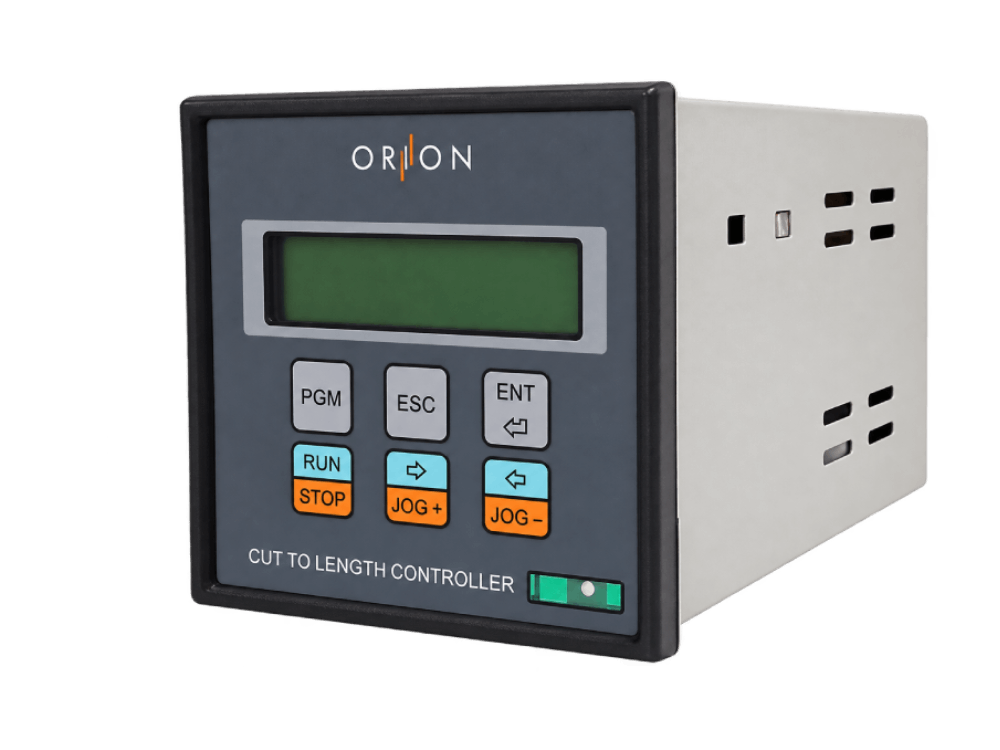
Front Keypad
- Program : Enters programming mode to view and change settings
- Escape : Exits a menu or cancels an entry without saving
- Enter : Selects a parameter or confirms and saves a value
- Run / Stop : Starts or stops the automatic cycle
- ► (Jog+ / Increase) : Jogs forward in Auto mode; increases the set value in Manual mode
- ◄ (Jog− / Decrease) : Jogs backward in Auto mode; decreases the set value in Manual mode
The two arrow keys are dual-purpose, which keeps the keypad small and simple. In one mode they work as jog buttons for positioning or inching the machine. In the other mode they let the operator scroll a set value up or down while configuring the controller.
Hardware at a glance
- Microprocessor-based control
- 16×2 character LCD display for parameters, status and messages
- 6-key front keypad
- 2 built-in potential free contacts for outputs to drive motors, solenoids, contactors, brakes or indicators
- 2 inputs for push buttons, limit switches, sensors or machine signals
How it is used
- Configure: Press Program, choose a parameter with the arrow keys and Enter, adjust its value with ◄ / ►, and save with Enter. Press Escape to leave without changes.
- Run: Press Run/Stop to start the automatic cycle. The controller reads its inputs and switches its relay outputs according to the configured settings. The LCD shows the live status.
- Jog / adjust: Use the arrow keys to jog the machine during setup or operation, without entering the full programming menu.
- Stop: Press Run/Stop again to stop the cycle.
Typical Applications
- Simple sequencing of one or two actuators, such as a cylinder, motor or valve
- Timed operations: on/off delays, dwell times and cyclic timers
- Counting and batching: stopping after a set count
- Conveyor, feeder and indexing control
- Small dispensing, filling or sealing operations
- Upgrading older machines that run on hardwired timer and relay logic
Key Benefits
- Low cost: much cheaper than a PLC with a separate HMI
- Easy to operate: clear text display and a 6-key keypad, with no software needed
- Compact: controller, display and keypad in one unit, saving panel space and wiring
- Flexible: settings can be changed on site from the front panel
- Reliable: microprocessor-based design from Orion, built on 20+ years of industrial automation experience